 SavvyCal Docs
Cleaning up your scheduling links
When you're finished using a SavvyCal scheduling link, you can either pause it, archive it, or delete it.
- If you'd like to temporarily disable the ability for someone to use a scheduling link, it's best to pause it.
- If you'd like to disable a link for the foreseeable future but still keep a record of it in your account, it's best to archive it. (When a single-use link is used, we automatically archive the link for you).
- If you'd like to permanently disable a link and remove it from your account (as if it never existed), you can delete it.
Pausing a scheduling link
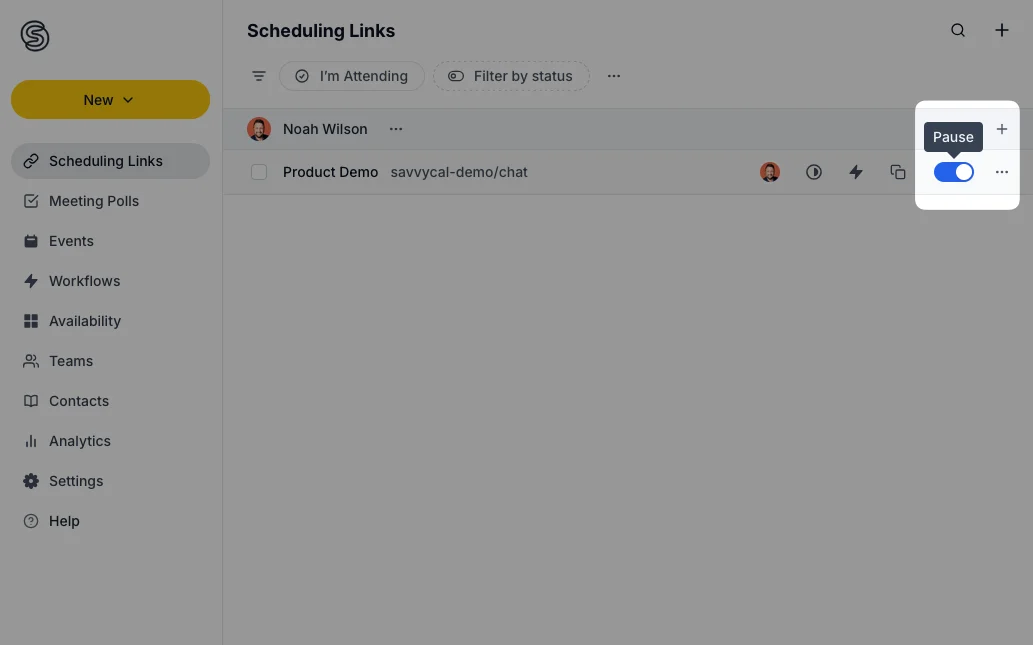
There are a few different places in the interface to pause a link. From the Scheduling Links page, you may click the three-dots menu on the far right and then click Disable.
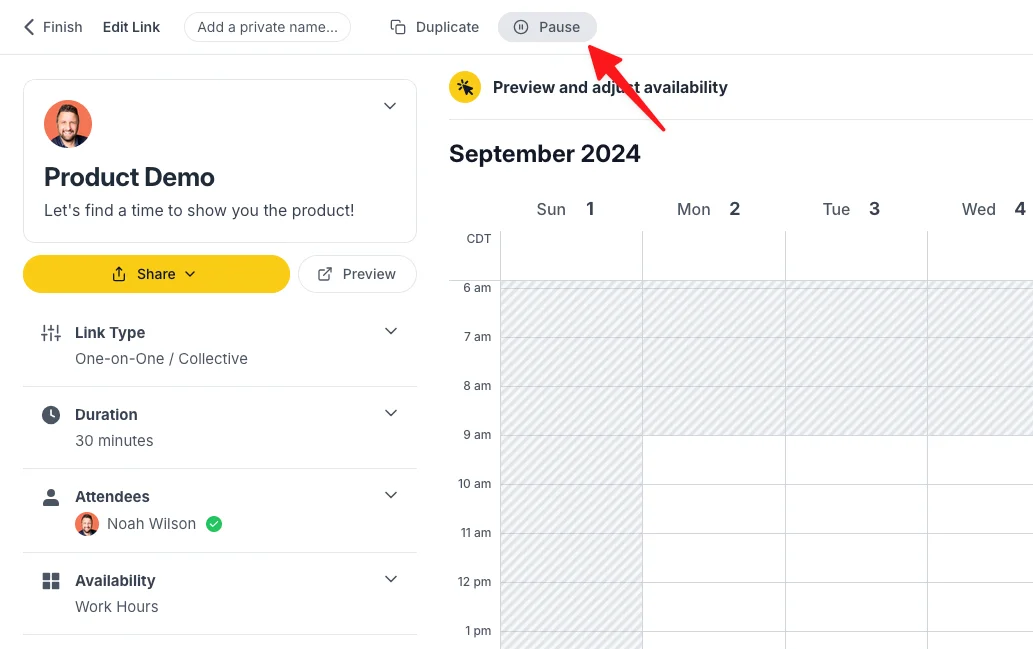
When viewing the scheduling link editor, you may also click the three-dots menu in the top nav bar and then click Disable.
Archiving a scheduling link
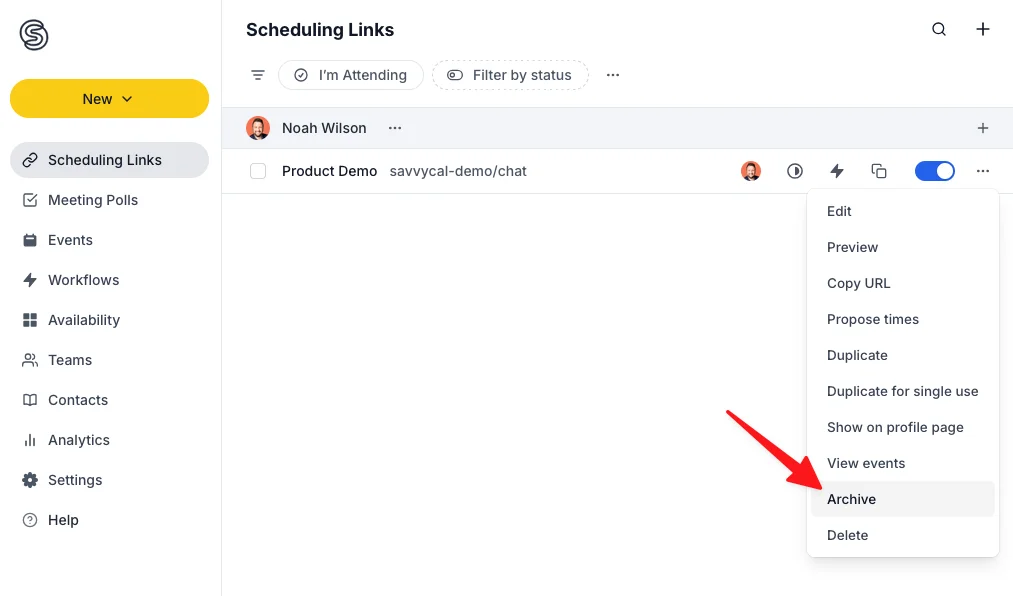
To archive a link from the Scheduling Links page, click the three-dots menu on the far right and then click Archive.
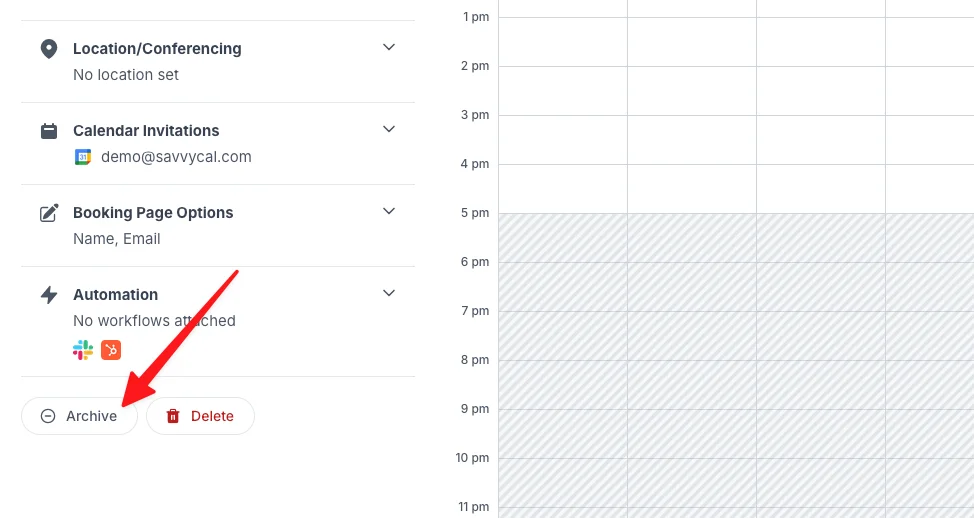
When viewing the link editor, you may also click the three-dots menu in the top nav bar and then click Archive.
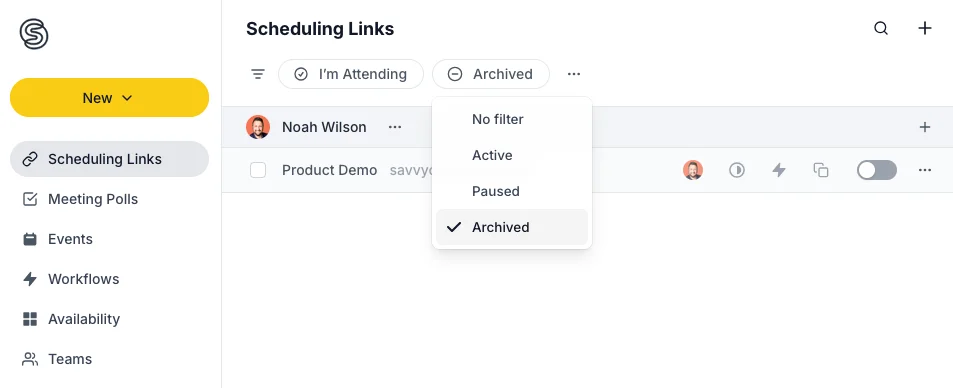
To see your archived links, you can click the Status filter at the top of the Scheduling Links page, select Archived, and click Apply.
Deleting a scheduling link
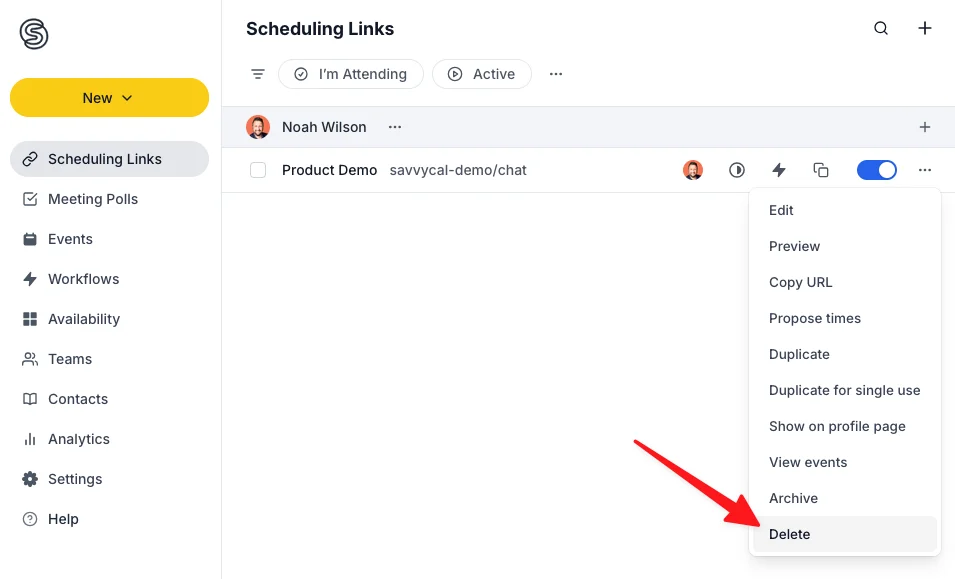
To delete a link from the Scheduling Links page, click the three-dots menu on the far right and then click Delete.
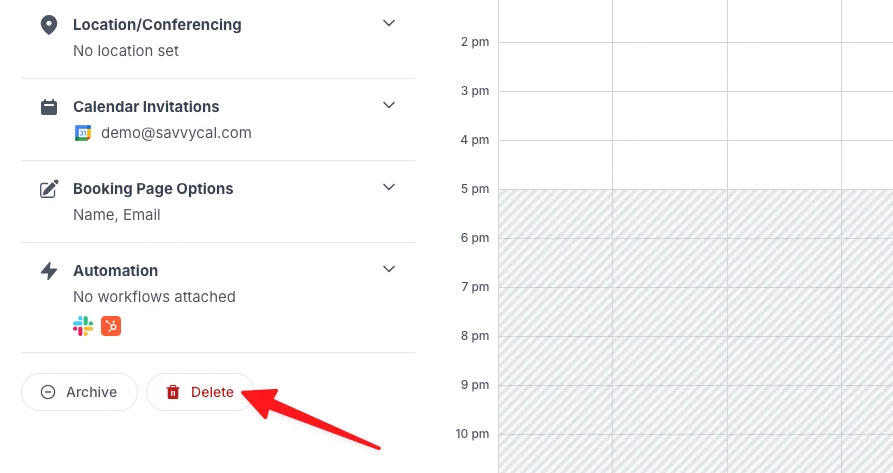
When viewing the link editor, you may also click the three-dots menu in the top nav bar and then click Delete.
Deleting a link is a permanent action, so only do it if you're sure you don't need it anymore!
Still have a question? Contact support.