 SavvyCal Docs
Frequency limits
Frequency limits in SavvyCal allow you to control how many meetings can be booked on a per day, week, and month basis. You can configure frequency limits globally (apply to all links for a particular user) or on a per-link basis (limiting bookings on a particular link irrespective of other links).
Configuring global frequency limits
To control how many bookings are allowed across all your links, navigate to Settings > Links, scroll to the Frequency Limits section, and click "Add frequency limit".
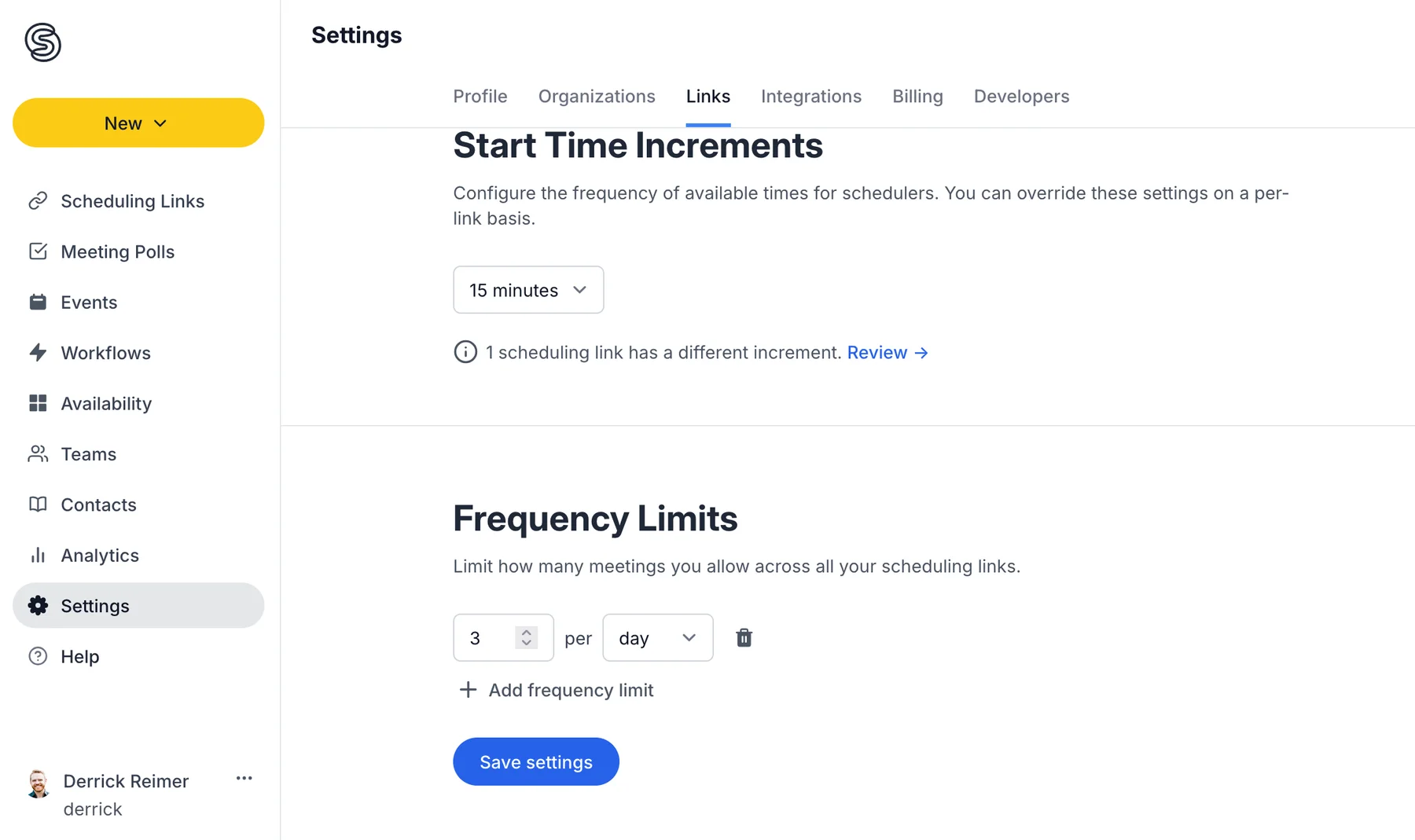
You may configure one or more limits to apply across all your links.
Configuring per-link frequency limits
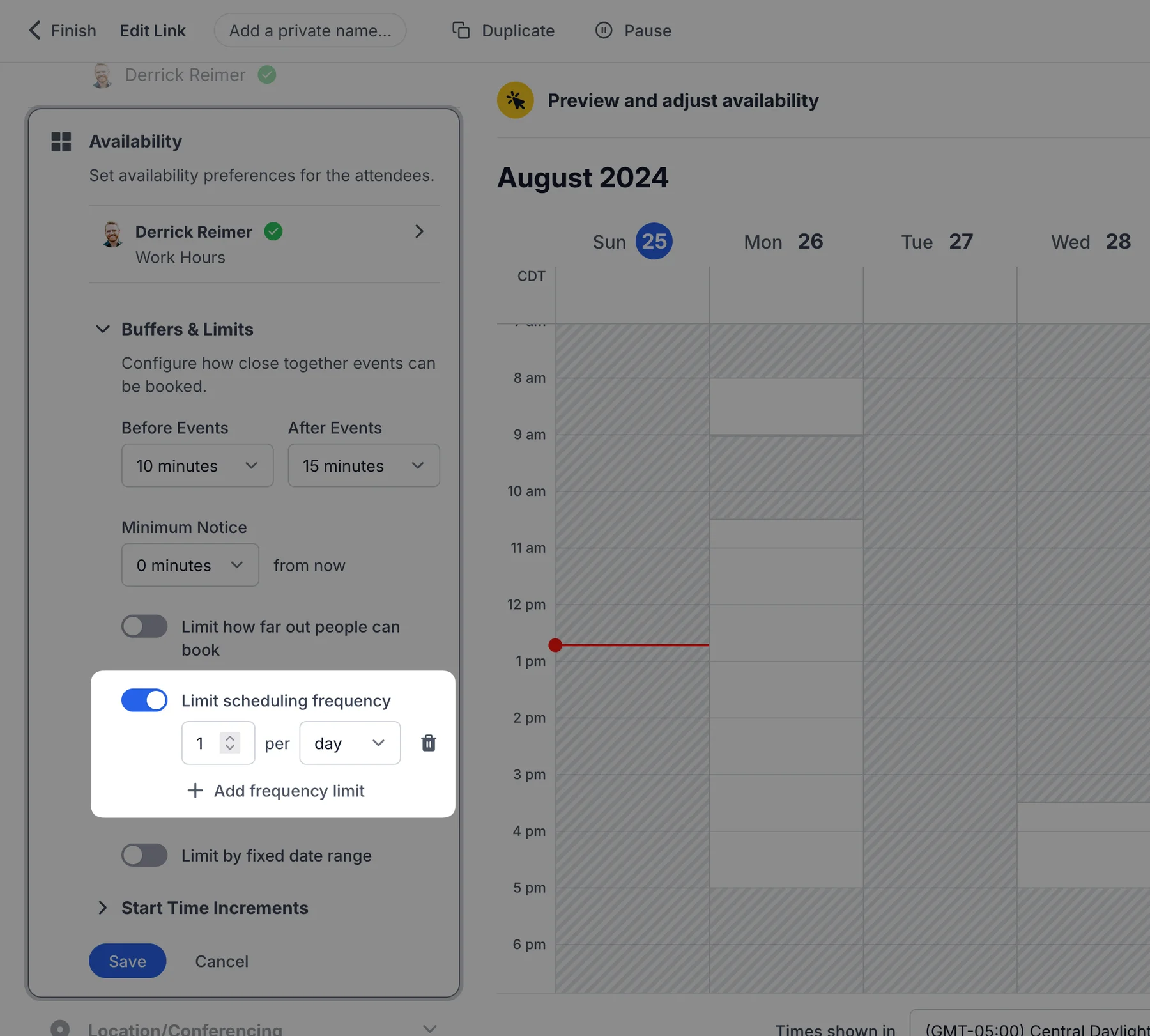
To limit the quantity of meetings for a specific scheduling link, navigate to the link editor, open the Availability section, and toggle on Limit scheduling frequency. Then, add one or more frequency limits you'd like to enforce on your link.
Still have a question? Contact support.