 SavvyCal Docs
Prevent last-minute changes to events
Tired of meetings getting moved or canceled minutes before they start? You can now lock down each scheduling link in the run-up to an event.
Open any link's Booking Page Options, turn on Prevent last-minute changes, and choose how far ahead the lock kicks in, anywhere from 15 minutes to a week before the event starts.
To stop last-minute bookings in the first place, see Prevent last-minute bookings.
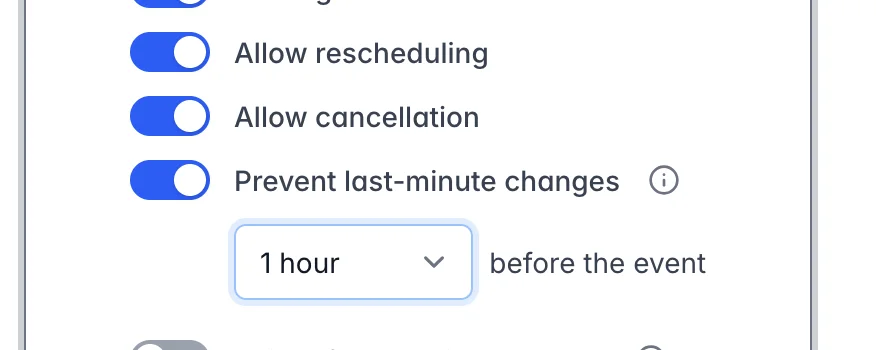
A couple of things to know:
- The lock only applies to the person who booked. As the host, you can always reschedule or cancel, right up to start time.
- Schedulers who hit the cutoff see a friendly note pointing them to reach out to you directly.
Still have a question? Contact support.